LMC 8.4
LMC 8.4 APK R18F1 offers HDR+, Night Sight, portrait mode, RAW capture, XML configs, and manual controls for better photos on Android phones and more.
Security Verified
Introduction
LMC 8.4 is a camera app made for Android phones that support Google Camera features. It works with intelligent photo processing to enhance light, colour, detail and focus. The application also has HDR+ in bright environments, Night Sight in dark surroundings, Portrait Mode in smooth backgrounds, and RAW capture to edit.
Users can load XML files to match settings with a phone model. The app may work with the main, front, wide, or zoom camera, based on device support. Results depend on the phone sensor, camera drivers, Android version, and chosen APK package. A correct setup can give clear photos with balanced shadows and highlights. Users need to check compatibility before installing the file. It is wise to keep the stock camera on the phone as a backup.
What Is LMC 8.4?
This camera tool is a Google Camera port made for supported Android phones. It uses software to process more than one frame and build one final image. This method can save detail in bright skies and dark rooms. It can lower noise, correct colour, and balance exposure. The app does not change the real camera sensor. It works with the hardware already inside the phone.
HDR, Night Sight, Portrait Mode, RAW files, and manual controls can be used by the camera. Some phones may open extra lenses, such as ultra-wide, telephoto, or macro cameras. Lens access depends on the phone maker and the chosen package. A phone may run the main lens well but fail on another lens.
XML config files let users load a group of settings at once. These files may tune colour, sharpness, white balance, exposure, and noise control for one phone model. A good config can save setup time. A wrong config can cause odd colours, missing lenses, or crashes.
The app can stay beside the stock camera when the package name does not clash. Users can test both cameras and keep the one that fits each scene. Good results need a supported Android version, working Camera2 API, correct camera drivers, enough storage, and a suitable APK file. Careful setup matters more than random values, since every sensor handles light, focus, and colour in a different unique way.
LMC 8.4 APK Download
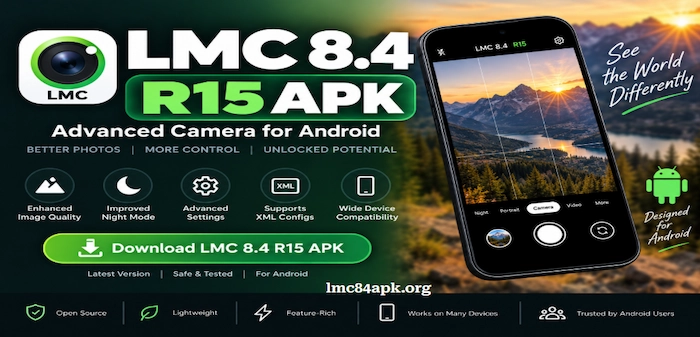
The download panel lists file details before installation.
| Field | Value |
| App name | LMC 8.4 |
| Latest release | R18/F1 |
| Base version | Google Camera 8.4 |
| Developer | Hasli |
| Category | Photography |
| File type | APK |
| Config support | XML |
| Root required | No |
| Supported system | Android |
| Price | Free |
| Last Updated | 5 hours ago |
| Security | Show the SHA-256 hash and scan status |
Frequently Asked Questions
Key Features of LMC 8.4 APK
The camera includes tools for bright scenes, dark places, portraits, zoom, video, and detailed manual tuning. Each feature depends on device support. Users can test each tool slowly and keep the settings that give clear photos on their phone model.
HDR+ Enhanced
HDR+ captures several frames and joins useful detail from each one. It can protect bright clouds, open dark shadows, and reduce harsh contrast. The result often looks more balanced than a single frame. Good light and a steady hand help the processing keep fine detail without strong blur.
Night Sight
LMC 8.4 Camera Night Sight collects more light in dark rooms and outdoor scenes. It takes several frames, lines them up, and lowers visible grain. The phone needs to stay steady while the shot is made. Moving people may look soft, so users can take more than one photo and choose the clearest result.
Astrophotography Mode
Astrophotography mode is configured to stars and the darkest skies. It requires a tripod, a flat surface, and minimal surrounding light. The camera may use a long capture time to build the image. A timer can prevent hand shake. Clear weather and a clean lens can improve star detail.
Portrait Mode
Portrait Mode finds a face or object and adds blur behind it. Good edge detection can keep hair, glasses, and clothing clear. The effect works best with space between the subject and background. Soft light helps skin look even. Blur strength may change with the loaded config file.
LMC 8.4 Camera App Super Res Zoom
Super Res Zoom uses several frames to keep more detail when users zoom in. It can make signs, faces, or far objects look cleaner than simple digital zoom. Physical lens quality still matters. Strong zoom can show noise and shake, so users need good light and a firm grip.
Manual Focus and Exposure Controls
Manual controls enable users to adjust focus, exposure, and other camera values. Exposure sliders have the ability to make a scene dark or light prior to the photo being captured. Focus controls help with close objects or distant views. These tools give more choice, but large changes can create blur, noise, or flat colour.
RAW and DNG Capture
RAW and DNG files keep more camera data for later editing. Users can recover some shadow detail, change white balance, and tune colour with editing software. These files are much larger than normal photos. They may look dull before editing because they have not received full image processing.
Auxiliary Camera Support
Ultra-wide, telephoto or macro, or depth lenses can be opened with aid of the auxiliary camera support. The settings are based on the phone maker, package name, camera driver, and lens ID.Some phones show every lens, while others show only the main camera. A device-based XML file can help map available lenses correctly.
Video Recording Controls
Video tools may offer choices for size, frame rate, sound, and image stabilisation. Available options depend on the phone hardware and Android camera system. High frame rates need more light and storage. Long clips can warm the phone. Users need to test sound, focus, and smooth motion before important recording.
Noise and AWB Models
Noise models control how the app handles grain and fine detail. White balance models guide colour under sun, shade, bulbs, or mixed light. A correct model can make skin and walls look natural. A wrong model may add green, blue, or red tones. Some changes need a restart.
LMC 8.4 R15 XML Configuration Support
XML support lets users load many camera values from one small file. A config may set colour, sharpness, exposure, lens IDs, noise control, and portrait choices. It can speed up setup for a known phone model. Users need to save the old config before trying a new one.
Lib Patcher and Advanced Tuning
Lib Patcher gives deep control over sharpness, contrast, saturation, texture, and noise reduction. Small changes can shape the final photo. Large changes may create hard edges, waxy skin, or crushed shadows. Beginners can start with a trusted device config, and test one value at a time.
LMC 8.4 Versions and APK Packages
Several releases are available for different phones and setup needs.
| Release | Main purpose | Suggested user |
| R18 | Updated controls, lens detection, and screen fixes | Most supported devices |
| R17 | Stable earlier build | Phones with R18 issues |
| R16 | Older config support | Selected older devices |
| R15 | Exynos and module work | Some Samsung phones |
| R14 | Previous stable build | Legacy setups |
| R13 | Older device support | Phones that fail on newer releases |
What Is New in LMC 8.4 R18?
Which LMC 8.4 Version Should You Download?
Users can begin with R18 and test the main camera, front camera, video, Night Sight, and extra lenses. A crash or black screen may mean the phone needs another build. Keeping the last working APK and XML file makes it easier to return to a stable setup.
Understanding Package Variants
Package names can look confusing, but they serve a clear purpose. Standard, Snapcam, Aweme, Scan3D, Google Lens, and Iris packages use different app names. A different name may avoid an install clash or help a phone open more camera lenses. Samsung phones may work better with one package, while another brand may need a different choice.
No single package fits every model. Users need to test one file at a time and note the result. The chosen file must match Android and device hardware. A clean install may help after switching packages. Back up configs before removing app data. Saved photos remain in the gallery during app changes.
LMC 8.4 Camera Compatibility
Camera support depends on more than the Android name shown in settings. The phone must have a functioning Camera2 API, have appropriate camera drivers, supported hardware and a package that is capable of accessing the lenses. Android version does count, yet there is a possibility that two phones of the same version would perform differently.
Supported Processor Types
Snapdragon phones often have strong support because many camera ports are tested on them. MediaTek Dimensity and Helio phones may work well, but some controls or extra lenses can stay locked. Samsung Exynos phones can need a special package or an older release. Google Tensor phones have their own camera system, so results can vary by model and software build.
A phone can open the app; however, that does not mean every feature will work. RAW capture, manual focus, long exposure, and extra lenses need deeper camera access. Video frame rates and stabilisation depend greatly on the device.
How to Check Camera2 API Support
Users can check Camera2 API support with a hardware check tool. Open the report and look for the support level, RAW access, manual focus, manual exposure, and each camera ID. FULL or LEVEL_3 support often gives more options. LIMITED support may still run basic photo modes.
Popular Supported Phone Brands
Popular brands include Samsung, Xiaomi, Redmi, POCO, OnePlus, Realme, Motorola, Vivo, Oppo, Infinix, Tecno, and Pixel. Brand names are not a promise of support. Users need to check the exact model, processor, Android build, package, and config before setup. A simple test can save time. Install one clean package without a config. Take photos with the rear and front cameras. Record a short video. Open Night Sight and Portrait Mode. Check each extra lens. When these parts work, load a matching XML file and test the same tools again.
How to Download and Install LMC 8.4 APK
Use these steps to install the camera file and test the main tools. Keep the last working package and config before making changes.
Step 1: Check Your Android Device
Open phone settings and note the Android version, processor, storage, and model number. Use a Camera2 API checker to review RAW support, manual controls, and camera IDs. Keep the stock camera installed because it may work better for some video or quick shots.
Step 2: Select the Correct APK Version
Start with the newest stable release listed for the device. Pick a package that suits the brand or avoids a clash with another camera port. When the file fails, try one older release or another package. Change one item during each test.
Step 3: Download the APK File
Tap the download button for the chosen version. Check the file name, size, package, update date, and hash when shown. Let the download finish before opening it. A partly saved file can cause a parse error during installation.
Step 4: Allow Installation From the Selected Source
Open Settings and find Apps, Security, or Special Access. Choose Install unknown apps. Allow the browser or file manager used for the download. This permission does not need to stay open for every source. Turn it off after installation.
Step 5: Install the APK
Open the downloaded file and tap Install. Wait for Android to finish. A package conflict may appear when another app uses the same name. Choose another package or back up and remove the clashing camera app.
Step 6: Grant Required Permissions
Open the camera and allow camera access. Give microphone access for video sound. Grant photo or media access so images can save. Location is optional for photo tags. Deny any permission with no clear link to camera use.
Step 7: Test the Camera
Take one photo with the main and front lenses. Record a video with sound. Try HDR, Night Sight, Portrait Mode, and each extra lens. Check that photos save and open. Load an XML file after the clean setup works without crashes.
Common LMC 8.4 Problems and Fixes
Most errors come from a package clash, unsupported hardware, missing permission, wrong lens ID, or bad config. Test without an XML file before settings.
| Problem | Likely cause | Solution |
| App not installed | Package clash or device support | Back up configs, remove the clashing app, or choose another package |
| Parse error | Broken file or wrong Android version | Download again and confirm the name, size, and release |
| Black viewfinder | Package does not match the driver | Clear app data and try another package or older build |
| App keeps crashing | Bad config or unsupported value | Open a clean setup and load the last working file |
| Extra lenses missing | Wrong camera IDs or blocked access | Try a device config and another package |
| Photos not saving | Missing media permission or full storage | Grant access, free space, and test without RAW |
| Colours look wrong | Bad white balance or colour model | Reset values and test in daylight |
| Slow processing | Heavy HDR or weak processor | Lower frames and advanced processing |
| Phone becomes warm | Long Night Sight, RAW, or video use | Pause the session and reduce demanding settings |
Check one change at a time. Take a photo and video after each fix. This makes the cause easy to find. Some phones keep extra cameras locked from third-party apps. In that case, a package may help, but lens access can remain unavailable.
LMC 8.4 Config Files Download
XML config files store many camera values in one small file. They can save time and help match the camera with a phone model. A config may change lens IDs, white balance, sharpness, noise control, exposure, colour, HDR behaviour, portrait blur, and video choices.
What Can an XML File Change?
A config can tune the main camera and may set different values for front, wide, or zoom lenses. It can change how much detail stays in a photo and how strong noise cleaning becomes. It can also guide colour under sun, shade, bulbs, or mixed light. One file may aim for natural colour, while another may give brighter and stronger tones.
A random file can cause problems. Wrong lens IDs may hide a camera. Heavy sharpness can make hard edges. Strong noise cleaning can remove skin detail. Bad white balance can turn a scene green, blue, or red. Users need a file made for the exact phone, processor, and release.
How to Install an LMC 8.4 XML File
Download the XML file and check that its name ends with the correct extension. Create an LMC8.4 folder at the root of internal storage when the release uses that path. Move the file into the folder. Open the camera and double-tap near the shutter area. Choose the saved config and restore it. Restart the app when requested. Test the main camera, front camera, video, Night Sight, and every extra lens.
How to Select the Best Configuration
Recommended LMC 8.4 Camera Settings
Settings change with the phone, light, and photo style. Start with a config. Test one value at a time and save a backup.
Settings for Daylight Photography
For daylight, use HDR+ to protect skies and dark areas. Keep sharpness mild so leaves, hair, and walls do not show hard edges. Natural saturation suits skin and outdoor colour. Auto white balance works well in even light. Check faces and clouds before use.
Settings for Night Photography
For night shots, use Night Sight and hold the phone still. A tripod can lower blur. Longer exposure collects more light, but moving people may look soft. Keep noise control balanced. Too much cleaning removes texture, while too little leaves grain.
Settings for Portrait Photography
For portraits, check edges around hair, ears, glasses, and clothing. Keep blur soft to look real. Face exposure needs to stay bright without losing skin detail. Natural white balance helps skin tones. The main lens often gives steady results.
Settings for Astrophotography
For stars, use a tripod and timer. Pick a dark place away from street lights. Clean the lens. Focus on a far point and keep the phone still during capture. A battery helps during long use. Test short and long exposure choices.
Settings for Video Recording
For video, choose a size and frame rate the phone can handle. High settings use more storage and may warm the device. Stabilisation can crop the frame. Record a clip to check sound, motion, and quality. Keep free space for recording.
Is LMC 8.4 Safe to Download?
LMC 8.4 Pros and Cons
| Pros | Cons |
| HDR can balance bright and dark areas | Some phones cannot install the file |
| Night modes can collect more light | Front, wide, or zoom lenses may stay hidden |
| XML files can tune colour and detail | Wrong configs can cause crashes or strange colour |
| Manual controls give users more choice | Advanced menus may confuse beginners |
| RAW capture helps with editing | Heavy processing can slow shots and warm the phone |
| Root is not needed on supported phones | Video features depend on device hardware |
Final Thoughts
LMC 8.4 port gives supported Android phones more control over photos and video. It offers HDR processing, dark-scene tools, portraits, RAW capture, manual settings, and XML configs. The newest release is a good starting point, but it is not the best choice for every phone. Another package or older build may work better with some camera drivers.
Users need to check Camera2 API support, Android version, processor, package name, and lens access. A matching config can save time and improve colour or detail. Every lens needs a test after setup. The stock camera needs to stay installed as a backup. Choose a compatible APK, verify its details, install it with care, and load a config made for the phone model.